What does a Hawaii virtual address include?
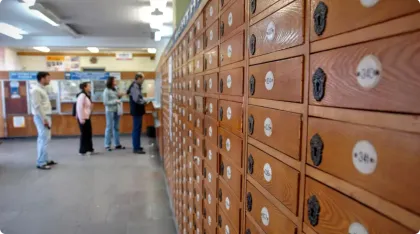
A Hawaii virtual address is a commercial street address, typically a Honolulu suite, where a provider scans your mail so you can open, shred or recycle it online. Scanning starts once USPS Form 1583 is on file. You cannot collect mail there in person, and the provider cannot deposit checks on your behalf.

Introduction
A Hawaii virtual address gives your business a real commercial street address in the state — not a P.O. Box — along with mail scanning, secure digital storage, and 24/7 online access to your mail from anywhere. It's a practical way to build a Hawaii presence without renting physical office space.
What a Hawaii virtual address actually gives you
A Hawaii virtual address is a real commercial street address — formatted as a suite address, not a P.O. Box — that you can use for business mail, client communications, and in some cases your business registration. Providers receive your physical mail at that address, scan it, and upload it to a secure online dashboard you can access from anywhere.
For entrepreneurs who don't have a physical office in Hawaii — or who want to keep their home address off business documents — this is one of the more practical options available. A Honolulu suite address on your letterhead reads differently to clients and vendors than a residential address or a P.O. Box number.
Most providers also bundle in mail management tools. you can request individual pieces:
-
Be opened and scanned in full
-
Forwarded to another address
-
Shredded after review
You manage all of it through an online portal, without ever visiting the Hawaii location.
Key features of a Hawaii virtual mailbox
Hawaii virtual mailbox services share a core set of features, though the specifics vary by provider. Here's what most plans include and why each one matters for a business owner.
Professional street address
You get a real Hawaii street address — typically a suite address in Honolulu — that you can use on business cards, your website, and client-facing documents. It keeps your personal home address off business records and gives clients and vendors a Hawaii-based point of contact.
Mail scanning and digital access
When mail arrives at your Hawaii address, the provider scans the outside of each piece and uploads an image to your online account. You can then request that the contents be opened and scanned in full. You get an email or app notification each time new mail arrives, so nothing sits unread.
24/7 remote access
Because your mail is digitized, you can check it from any device with an internet connection — whether you're on the mainland, traveling internationally, or working from home. You don't need to be in Hawaii, or even in the same time zone, to stay on top of your Hawaii business mail.
Mail forwarding
For mail you need in hand, most providers will forward physical pieces to any address — domestic or international — using USPS, UPS, or FedEx. You choose which items to forward and which to handle digitally, so you're not paying to ship mail you've already reviewed online.
Secure storage, shredding, and recycling
Physical mail is held in a secure facility until you decide what to do with it. For sensitive documents, you can request secure shredding after the contents have been scanned. For junk mail and nonessential items, most providers offer a recycling option — which also cuts down on unnecessary forwarding costs, especially relevant given Hawaii's distance from the mainland.
How mail scanning and USPS Form 1583 work
Before a Hawaii virtual mailbox provider can legally open and scan your mail on your behalf, you need to complete USPS Form 1583. This form authorizes the commercial mail receiving agency to handle your mail — it's a federal requirement, not a provider-specific one. Most providers require the form to be notarized before they'll activate your account.
Once Form 1583 is on file, the process works like this:
-
Mail arrives at your Hawaii street address
-
The provider scans the exterior of each piece
-
It's uploaded to your dashboard and you decide the next action
You can then choose to have the provider:
-
Open and scan the contents
-
Forward the physical piece
-
Shred it
-
Recycle it
Most dashboards let you manage each item individually.
The Form 1583 requirement catches some people off guard. Plan for the notarization step when you're setting up your account — it adds a day or two to the process but only needs to be done once.
What a Hawaii virtual address can and can't do
A Hawaii virtual address handles most standard business mail well.
It's worth knowing where the limits are before you sign up, so there are no surprises:
-
It can receive letters, documents, and standard packages at a real Hawaii street address
-
It can scan and digitize mail so you can view and manage it remotely 24/7
-
It can forward physical mail to any address, domestic or international
-
It can securely shred or recycle mail you don't need
-
It cannot receive large freight shipments or oversized packages
-
It cannot serve as a pickup location — you can't walk in and collect your mail in person
-
It cannot deposit checks on your behalf — if a check arrives, the provider can forward the physical check to you or your bank, but depositing it is your responsibility
For most business correspondence — notices from the Hawaii Department of Commerce and Consumer Affairs, the Hawaii Department of Taxation, vendors, and clients — a virtual mailbox handles everything you need. The gaps matter mainly if your business regularly receives large shipments or needs in-person mail pickup.